dicom-rs-transformer: Enterprise-Grade DICOM Transformation & Compliance Engine
Last Updated: August 22, 2026
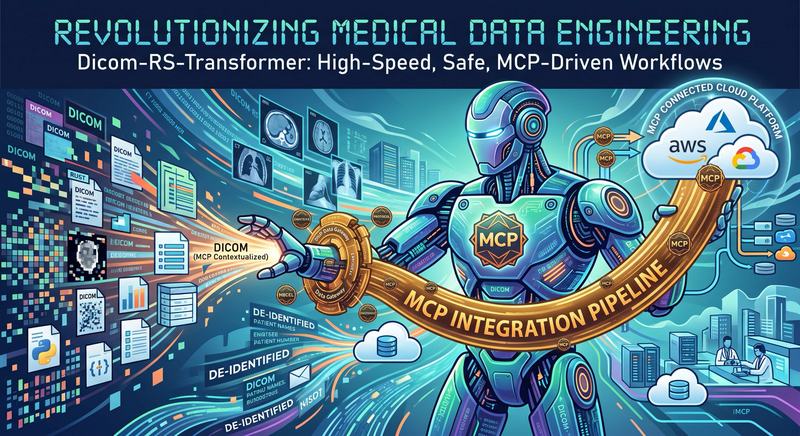
dicom-rs-transformer: Enterprise-Grade DICOM Transformation & Compliance Engine
Blazingly fast, memory-safe DICOM dataset transformation, anonymization, and extraction powered by Rust and
dicom-rs.
Executive Overview
dicom-rs-transformer is an open-source Rust library and Model Context Protocol (MCP)-enabled CLI designed for healthcare data engineering teams, AI researchers, and medical imaging systems developers.
It simplifies batch DICOM data processing, patient identity de-identification, metadata extraction, and multi-cloud storage pipelines—delivering sub-millisecond per-file transformation speeds with complete memory safety.
Key Product Highlights
⚡ Blazingly Fast & Lightweight
Built on the Rust dicom-rs ecosystem (v0.10.0). Zero garbage collection overhead, minimal CPU footprint, and instant startup times for batch processing millions of medical images.
🛡️ Flexible PHI De-Identification & Anonymization Pipelines
De-identify patient datasets and build DICOM PS 3.15 Annex E compliant confidentiality pipelines. Strip Protected Health Information (PHI), generate cryptographically secure pseudo-IDs, re-key UIDs, and export structured JSON audit maps linking original datasets to anonymized output.
📜 Dual Specification Engine (JSON DSL & Line Scripts)
Define complex transformation rules using declarative JSON DSL for web APIs and microservices, or human-readable Line-by-Line Script Language designed for terminal scripts, batch execution, and interactive REPL consoles.
🤖 Model Context Protocol (MCP) Ready
Integrates directly with AI developer tools (Google Antigravity IDE, Cursor, Claude Desktop) via native MCP discovery (dicom-transformer install-mcp). Allows AI agents to programmatically inspect, anonymize, and manipulate DICOM datasets.
📦 Multi-Format & Stream Support
Native automatic header detection supports both DICOM Part-10 file format (with 128-byte preamble and "DICM" magic headers) and raw DICOM stream datasets (headerless Little Endian explicit/implicit VR streams).
Features at a Glance
| Capability | Feature Description |
|---|---|
| Tag Editing & VR Inference | Set, update, or remove DICOM elements with automatic Value Representation (VR) inference. |
| Pattern Replacement | Perform regular expression search & replace on text values (e.g., reformatting Patient IDs). |
| Metadata Export | Export metadata into standard DICOM JSON (PS 3.18) format. |
| Frame Extraction | Extract uncompressed or compressed pixel frame payloads directly to JPEG, PNG, or RAW binary files. |
| Dataset Tree Dump | Output clean human-readable ASCII dataset tree hierarchies for quick debugging. |
| Deterministic UID Generation | Generate random UUID v4 or deterministic UUID v5 derived UIDs from seed tags. |
Community vs. Enterprise PRO Edition
| Feature | Community Edition (Open Source) | Enterprise PRO Edition |
|---|---|---|
Top-Level Tag Operations (SET, DELETE, REPLACE, ANONYMIZE) |
✅ | ✅ |
| Local Filesystem Batch I/O | ✅ | ✅ |
| JSON DSL & Line Script Compilation | ✅ | ✅ |
Export Formats (SAVE_JSON, DUMP, EXTRACT_PIXELS) |
✅ | ✅ |
Automated Compliance & Security Audit (cargo-audit & CycloneDX SBOM) |
✅ | ✅ |
Cloud Storage Integration (s3://, gs://, az://) |
🔒 | ✅ |
DICOM Network Protocols (dicom://, dicoms://, http://, https://) |
🔒 | ✅ |
Nested Sequence Path Evaluation (Seq[0]/Tag, Seq[*]/Tag) |
🔒 | ✅ |
RPN Boolean Predicate Branching (CHECK, AND/OR, IF_TRUE) |
🔒 | ✅ |
| Commercial SLA & Dedicated Support | 🔒 | ✅ |
Code Examples
1. Line Script Example (anonymize_script.txt)
# Batch DICOM Anonymization & Extraction Pipeline
ANONYMIZE NAME="ANON^PATIENT" ID="ANON-ID-1234"
SET InstitutionName "CLINICAL RESEARCH ORG"
SAVE target/output/anonymized/
SAVE_JSON target/output/json/
EXTRACT_PIXELS target/output/pixels/ png
SAVE_MAP target/output/maps/
EXECUTE
2. Rust API Usage
use dicom_rs_transformer::{Action, DicomTransformer, TagSelector, TransformSpec};
use dicom_object::open_file;

fn main() -> Result<(), Box<dyn std::error::Error>> {
    // Build specification
    let mut spec = TransformSpec::new();
    spec.add_action(Action::SetTag {
        selector: TagSelector::Keyword("PatientName".to_string()),
        value: "ANONYMOUS^PATIENT".to_string(),
    });
    spec.add_action(Action::RemoveTag {
        selector: TagSelector::Keyword("PatientAddress".to_string()),
    });

    // Execute transformation
    let transformer = DicomTransformer::new(spec);
    let mut dicom_obj = open_file("input.dcm")?;
    let report = transformer.transform_file(&mut dicom_obj)?;

    println!("Transformed {} tags in {}ms", report.tags_modified, report.duration_ms);
    dicom_obj.write_to_file("output.dcm")?;

    Ok(())
}
Get Started & Enterprise Enquiries
- 🐙 GitHub Repository: https://github.com/gosmart-health/dicom-rs-transformer
- 🌐 Company Website: https://www.gosmart.health
- 📧 Enterprise Licensing & PRO Subscriptions: [email protected]