Our Batteries-Included DICOM Mock Server: Now with HL7, FHIR, and Multi-Slice Synthesis
Spin up a mock radiology department in minutes. Ingest HL7 and FHIR orders, generate multi-slice DICOM studies, and test transcoding out of the box.
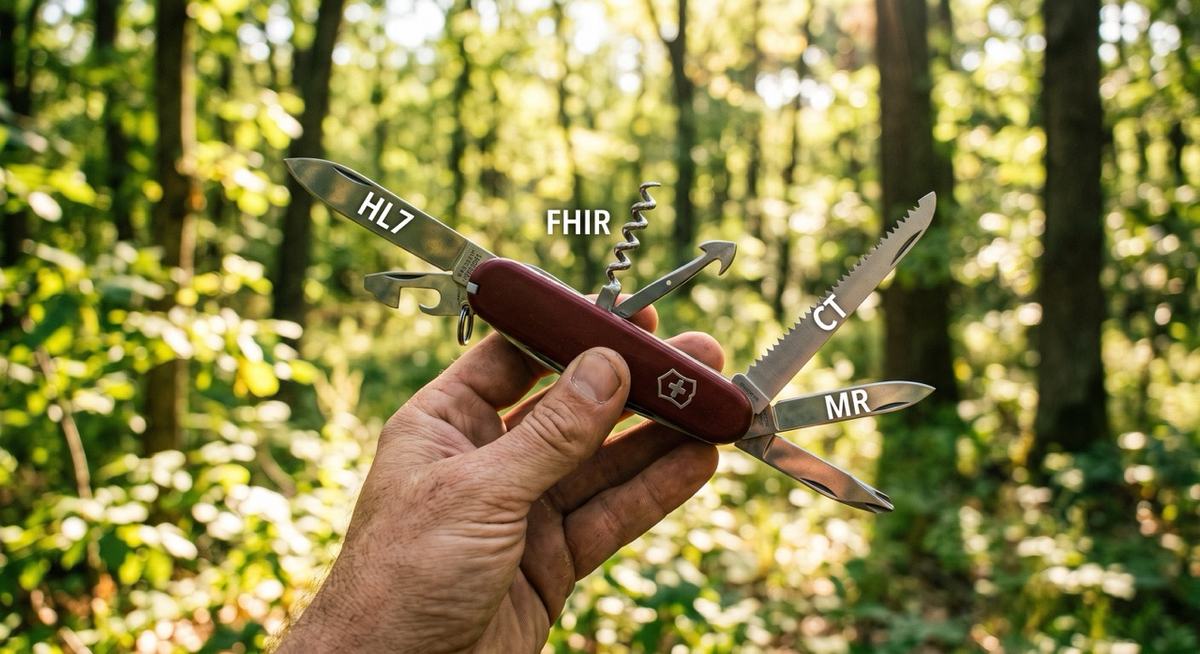
As we continue developing our new DICOM Flutter Radiology Kit, one fundamental challenge quickly resurfaced: finding realistic, end-to-end imaging workflows and test data without spending days wrestling with infrastructure.
Today, we are excited to release Version 0.3.0 of our Python-based DICOM Mock Server (dicom_py_mock_server), expanding beyond basic DICOM services to include native HL7 v2 MLLP order ingestion, FHIR ServiceRequest processing, and enhanced multi-slice image templates.
Why We Built the Mock Server
Anyone who builds /clinical imaging integrations or healthcare software knows the familiar pre-demo friction:
- Tool Sprawl: You need a PACS archive, a modality worklist (MWL) provider, an HL7 interface engine or feed simulator, and a FHIR server—each running separately, often configured with conflicting ports or complex local prerequisites.
- Data Scarcity & Tedium: Sourcing de-identified DICOM files, mapping identifiers across disparate systems, and crafting matching HL7 ORM or FHIR messages can consume hours, if not days, of engineering overhead.
- The "Demo Effect": When presenting to stakeholders, clinicians, or cross-functional teams, dummy data like TEST^PATIENT^001 with blank pixel matrices detracts from the value of your application. Reviewers instinctively fixate on the artificial artifacts rather than evaluating the architecture, user experience, or integration logic.
- Conference & Live Floor Demos (HIMSS, RSNA, and SIIM): Booth demos on exhibit hall floors like HIMSS and RSNA come with notorious hazards: spotty show-floor Wi-Fi, complex back-end connections to remote staging servers that randomly drop, and static UI screens where the list of patients never moves.
With Version 0.3.0, you can configure the mock server in continuous auto-generation mode. It periodically generates new synthetic orders, populates the modality worklist, and emits realistic completed exams in real time.
Instead of showing attendees a static table of three stale records, your booth display actively updates with live imaging events as visitors walk up. Best of all, because the entire stack runs locally on your laptop, your demo remains 100% resilient—even when conference Wi-Fi completely cuts out.
We needed a self-contained, realistic clinical imaging sandbox that spins up in seconds—synthesizing coherent patient identities, orders, and realistic image series out of the box.
With modern Python tooling, getting your local "mini-hospital" up and running is as simple as:
uv run dicom_py_mock_serverThat’s it. Batteries included.
What’s New in Version 0.3.0
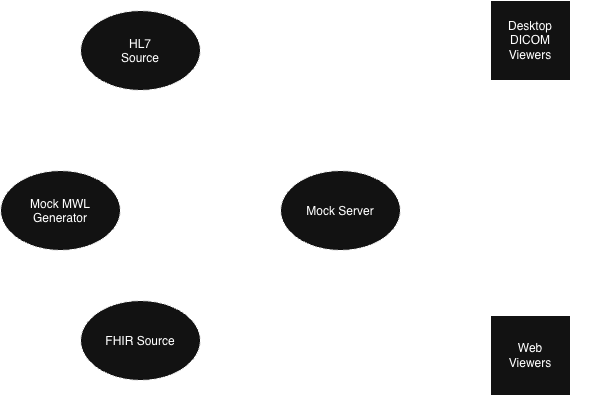
1. Native HL7 v2 MLLP Support (ORM Ingestion)
In a real hospital, imaging workflows rarely start in PACS—they start with an order.
Version 0.3.0 introduces an integrated HL7 MLLP listener (default port 2575) capable of handling incoming ORM^O01 order messages. When an ORM message arrives, the mock server automatically translates the clinical order into a corresponding DICOM Modality Worklist (MWL) entry.
- Testing Tooling: We’ve included an hl7_push CLI utility alongside sample ORM templates in the util/ directory to help you fire test orders immediately.
- Note on Compliance: While the mock server generates synthetic records internally, please ensure any external HL7 payloads you feed into the listener are sanitized and free of real PHI.
2. FHIR Support (RESTful ServiceRequest Ingestion)
Modern clinical architectures are shifting rapidly toward RESTful interoperability. Version 0.3.0 now accepts HTTP POST requests containing FHIR ServiceRequest transaction bundles in JSON format.
When your client application pushes an imaging order via FHIR, the mock server processes the request and populates the internal DICOM MWL schedule accordingly.
- Testing Tooling: To get started quickly, check the util/ directory for push_fhir.sh, a ready-to-run shell script paired with sample FHIR JSON payloads.
3. Multi-Slice Templates & On-the-Fly Transfer Syntax Transcoding
A single synthetic 2D slice rarely exercises the true performance of a modern viewer, cine playback engine, or viewport tiling algorithm. In Version 0.3.0, our image templates are now multi-slice, allowing you to serve realistic mocked modality series (like CT or MR volumetric runs).
More importantly, clinical viewers and client libraries frequently demand specific encapsulation formats. The mock server now dynamically transcodes pixel data on the fly to match whatever transfer syntax your client negotiates or requests—across both classical DIMSE (C-STORE/C-GET) and modern DICOMweb (WADO-RS / rendered endpoints). Supported syntaxes include:
- JPEG 2000 (Lossless & Lossy)
- RLE Lossless
- Standard 8-bit JPEG
- Uncompressed Explicit/Implicit VR Little Endian
This means you no longer need to maintain four duplicate folders of the same study encoded in different compression formats just to test your viewer’s codec decoders, network throughput, or progressive loading logic. You request the transfer syntax; the mock server handles the transcoding dynamically.
Getting Started
This code is open source and offered under the Apatch 2.0 License. Just point your browser to our https://github.com/gosmart-health/dicom-py-mock-server on GoSmart.Health GitHub public repo.
Whether you are developing medical viewers, testing DICOMweb/WADO endpoints, or validating modality worklist queries against upstream orders, dicom_py_mock_server eliminates the overhead of setting up heavy, siloed testing environments.
Grab the latest updates, explore the utilities in /util, and let us know how it fits into your testing workflows!
Manabu Tokunaga
Principal Architect, Gosmart.Health
Need Help Designing Your Healthcare Integration?
Schedule a Short Architectural Discovery Call →
Let's explore your data topology, discuss performance guardrails, and chart the right technical roadmap for your systems.